

Get Niro
Install Niro from the App Store on your iPhone. It is the app you open every day — everything else exists so it can connect.
iPhone · iOS 17 or later
Niro · Efrem Labs
Connect to the coding agents running on your Mac, right from your iPhone. Niro is the phone-side entry point for your own desktop setup — not a cloud service, and not tied to a single provider.
Providers
Niro does not hold third-party API keys. It talks to Niro Bridge on your Mac, and shows the providers that Bridge has available — nothing more, nothing less.
Niro ships with the providers above and follows the Bridge. When your Bridge gains another provider, it appears on the phone without reinstalling the app.
Getting started
Install Niro from the App Store on your iPhone. It is the app you open every day — everything else exists so it can connect.
iPhone · iOS 17 or later
Download the DMG, drag Niro Bridge into Applications, and open it. It sits in your Mac's menu bar and listens on your own machine only.
macOS · Niro Bridge 0.1.0
Open Niro on your phone. It finds the Bridge on your network, and you approve the pairing once on the Mac. The token never leaves that handoff.
Allow once · on your Mac
Product
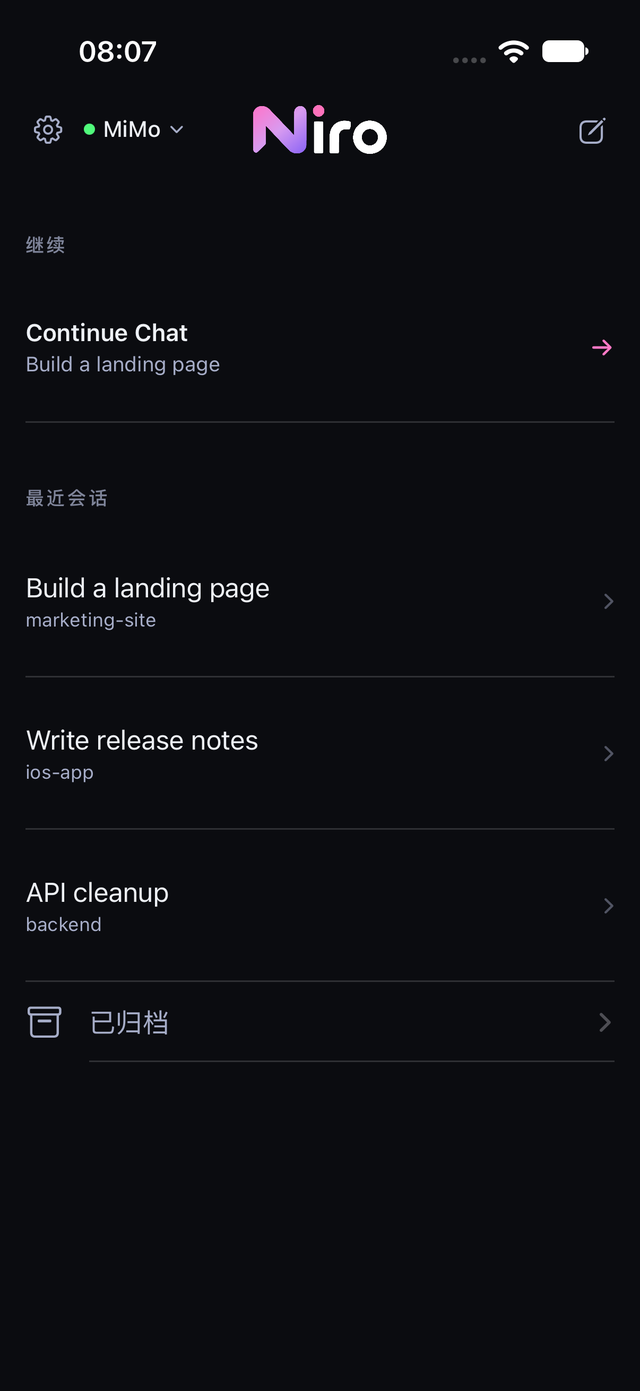
Real captures from Niro 0.1.0 on iPhone — home, conversation, and the model picker.
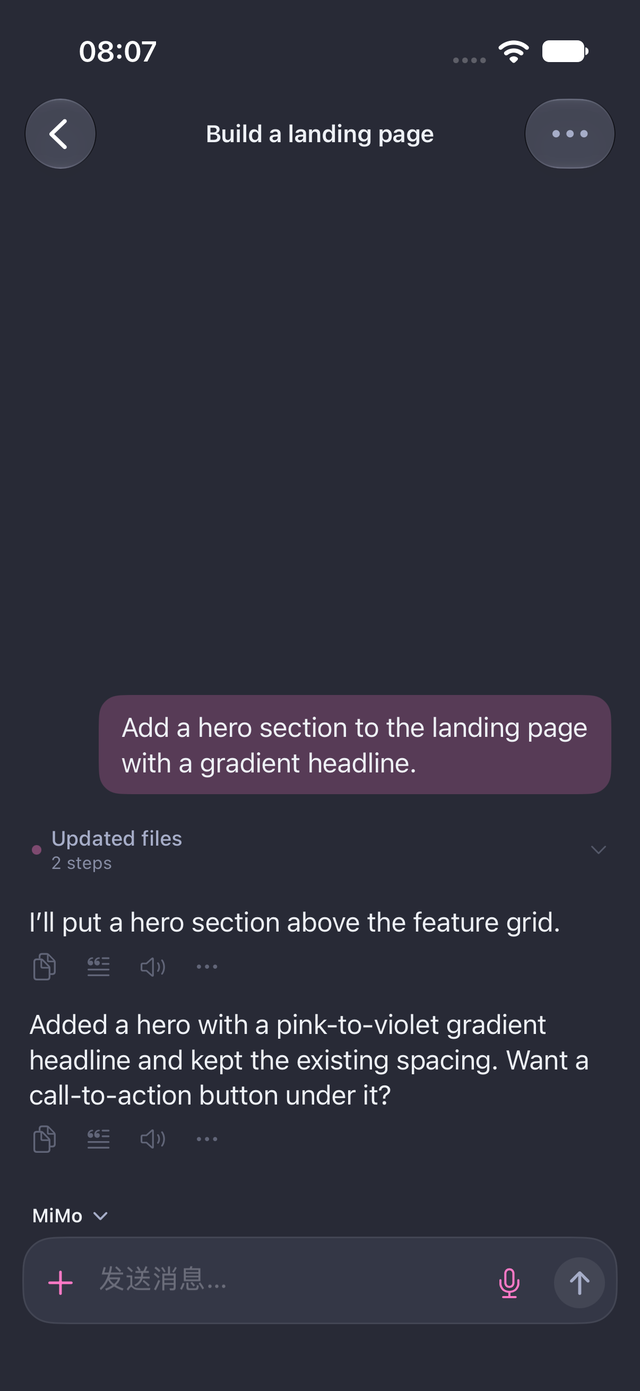
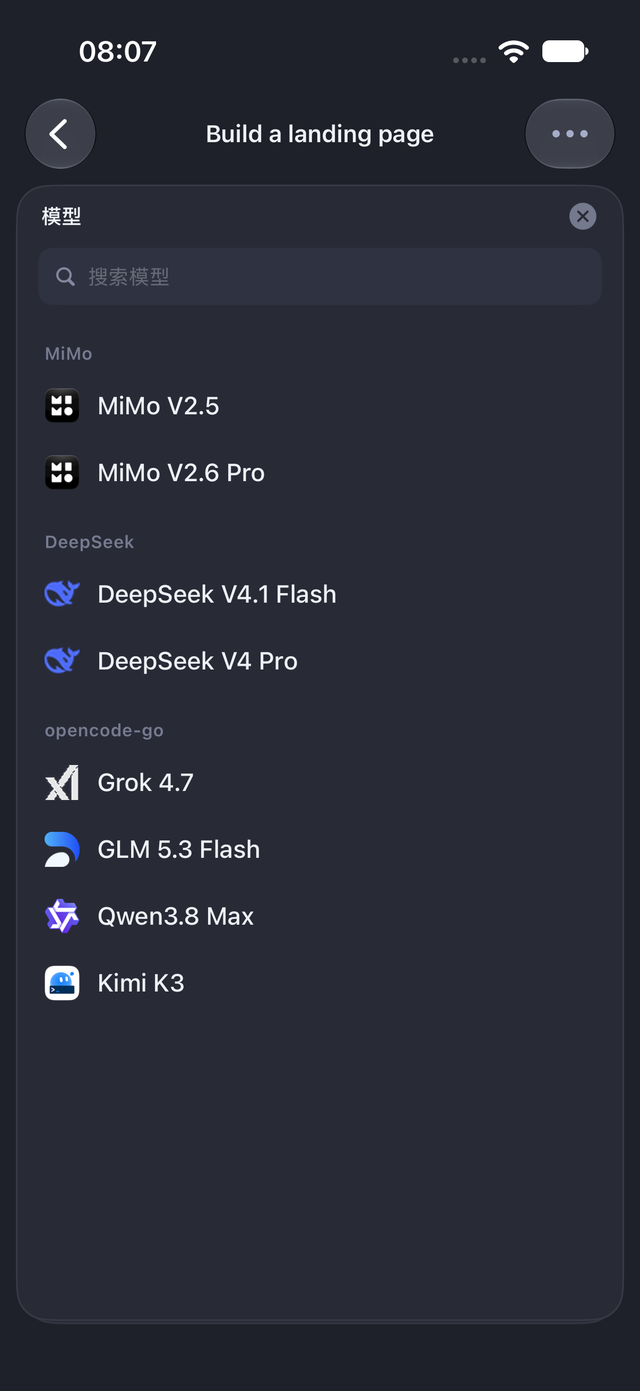
Captures are unretouched device screenshots. No interface here is a mock-up.
Download
Niro is the app you use, on your iPhone. Niro Bridge is the small companion app on your Mac that lets Niro reach the coding agents already running there.
Install Niro from the App Store and open it. Everything you do day to day happens here.
Download the DMG, drag Niro Bridge into Applications, launch it, and approve the pairing when your phone asks.
Your agents keep running on the Mac. Niro is simply the screen you carry.
Niro · iPhone + Mac
Niro on iPhone is the app itself. Niro Bridge is the companion you install on the Mac so Niro can connect — it stays in the menu bar, keeps your API keys on your machine, and exposes only what you have approved.
Looking for the long-lived link? It lives at /download.